

SEO

How to View Your Ahrefs Domain Rating

How to View Your Ahrefs Domain Rating
Share :

Table of Contents

Introduction

To improve your website’s visibility, understanding your Domain Rating (DR) in Ahrefs is essential.

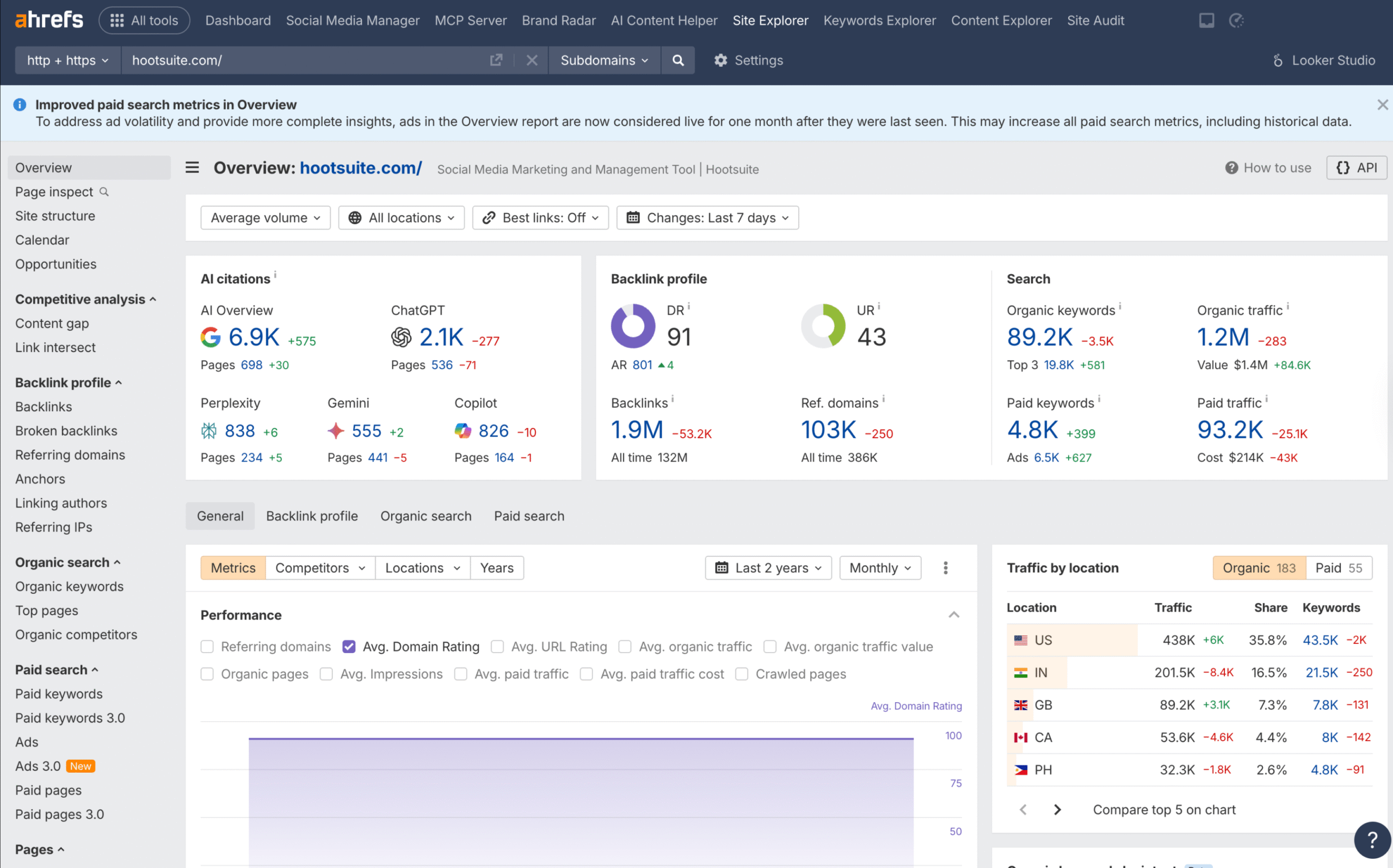
You can check your Domain Rating by using the Site Explorer tool in Ahrefs to access your website’s metrics. This score reflects the strength of your backlink profile and indicates how your site ranks compared to others in your niche.

Ahrefs also provides your Ahrefs Rank (AR), which helps you see how you stack up against competitors. The AR considers both domain and page-level metrics, giving you insight into your overall site performance.

By knowing your Domain Rating and Ahrefs Rank, you can identify areas for improvement and develop strategies to boost your website’s authority.

Whether you are a business owner, a blogger, or an SEO professional, keeping an eye on your Domain Rating and Ahrefs metrics will help you make informed decisions about your online strategy.

With the right tools, you can enhance your site’s performance and attract more traffic.

Step-by-Step Tutorial on How to Check Your Domain Rating in Ahrefs

Domain Rating

Step 1: Access the Ahrefs Website Authority Checker

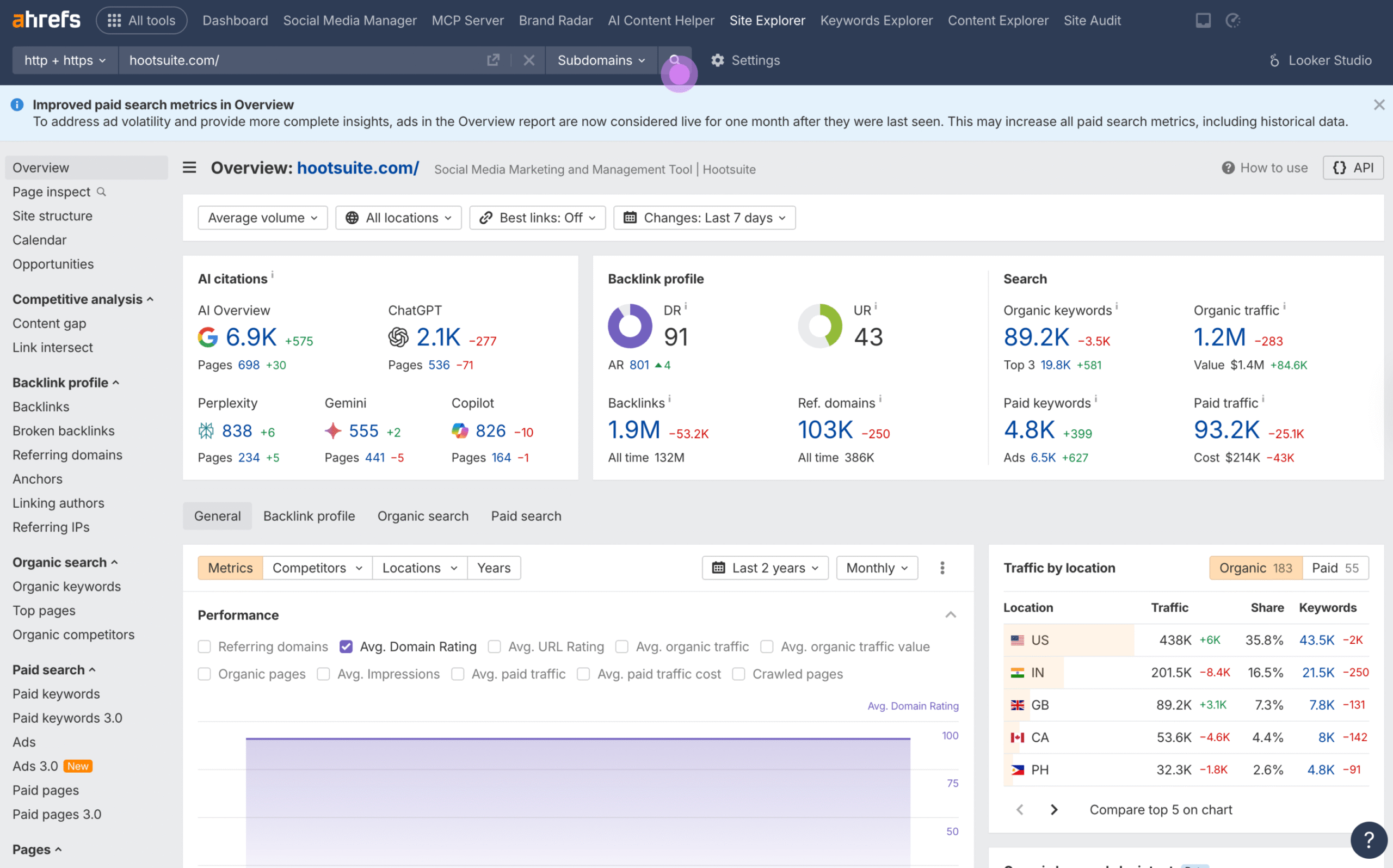
Step 2: Enter Your Domain Name

  • Locate the input field on the Website Authority Checker page.
  • Enter your domain name to begin the rating check.

Domain Rating

Step 3: View Your Domain Rating

  • Click on the “Check authority” button.
  • Ahrefs will display your Domain Rating, along with additional metrics such as the number of backlinks and referring domains.

Step 4: Analyze Your Results

  • Use the provided metrics to understand the strength of your backlink profile.
  • Compare your Domain Rating with competitors to gauge your site’s relative authority.

Conclusion

Checking your Domain Rating in Ahrefs is a crucial step for your SEO strategy. It helps you understand how your website stands compared to others.Your Domain Rating reflects the strength of your backlink profile. High-quality backlinks can boost your rating significantly. This can be essential for improving your visibility on Google.

Frequently Asked Questions (FAQs) 

To find out your website’s domain rating (DR), you can use the Site Explorer tool in Ahrefs. Simply enter your domain into the search bar, and Ahrefs will display your DR score along with other metrics like backlinks and traffic.


First, log in to your Ahrefs account and access the Site Explorer. Enter your domain in the search field. After clicking “Search,” you’ll see an overview of your domain’s metrics, including its domain rating, backlink profile, and referring domains.


Yes, Ahrefs’ domain rating serves as a measure of your website’s authority based on its backlink profile. A higher DR indicates a stronger domain, which means more backlinks from high-quality sites contribute positively to your ranking potential.

You can track changes in your domain rating by regularly checking the Site Explorer. Ahrefs shows historical data, allowing you to see how your DR evolves as you build links or improve your content quality.


Domain rating (DR) measures the overall authority of your entire domain, while URL rating (UR) focuses on the strength of a specific page within that domain. Both metrics consider the quality and quantity of external backlinks but do so at different levels.

 

Related Posts

Share This Post :