

SEO

How to See Inbound and Outbound Links for Your Website Using AHREFs

Inbound & Outbound
Share :

Table of Contents

Introduction

Understanding your website’s Inbound & Outbound links is crucial for improving your site’s visibility and user experience.

Using Ahrefs, you can easily see which external sites link to yours and assess your outbound links to other websites. This information can help you strengthen relationships with partners and improve your overall organic traffic.

By analyzing inbound links, you can discover which organic keywords drive traffic to your site. This can lead to better optimization strategies and enhance your site’s authority.

Additionally, keeping track of outbound links ensures that you’re directing users to valuable, relevant content, which can positively impact user experience.

With the right tools and insights from Ahrefs, managing your links becomes a straightforward task. You will not only understand your existing online relationships but also identify opportunities for growth and increased traffic.

Step-by-Step Tutorial on How to See Inbound and Outbound Links for Your Website Using AHREFs

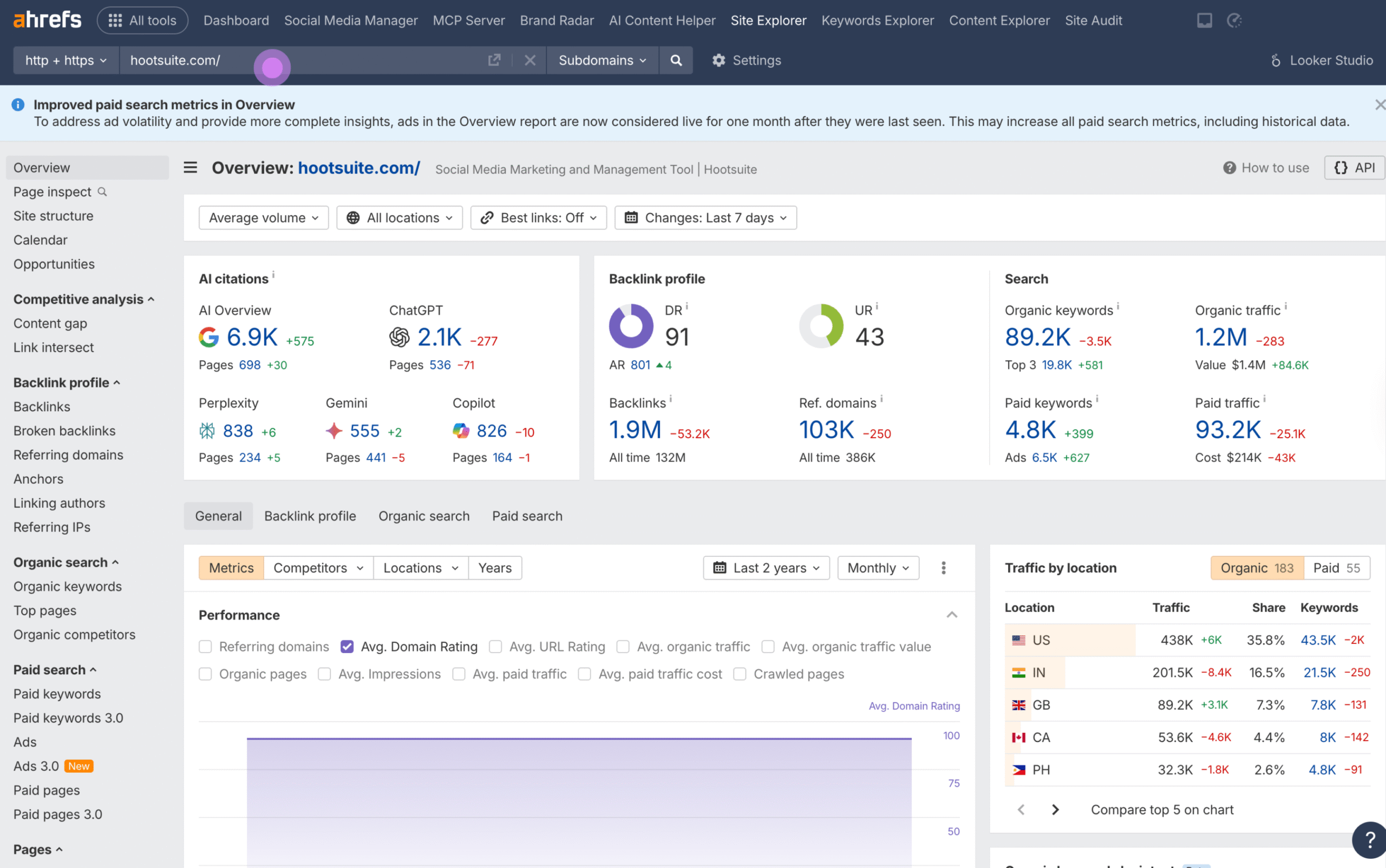
1. Enter your domain or URL in the field provided.

Inbound and Outbound

  • Start by logging into your Ahrefs account and navigate to the Site Explorer tool.
  • Enter your domain or a specific URL in the search field to begin the analysis.

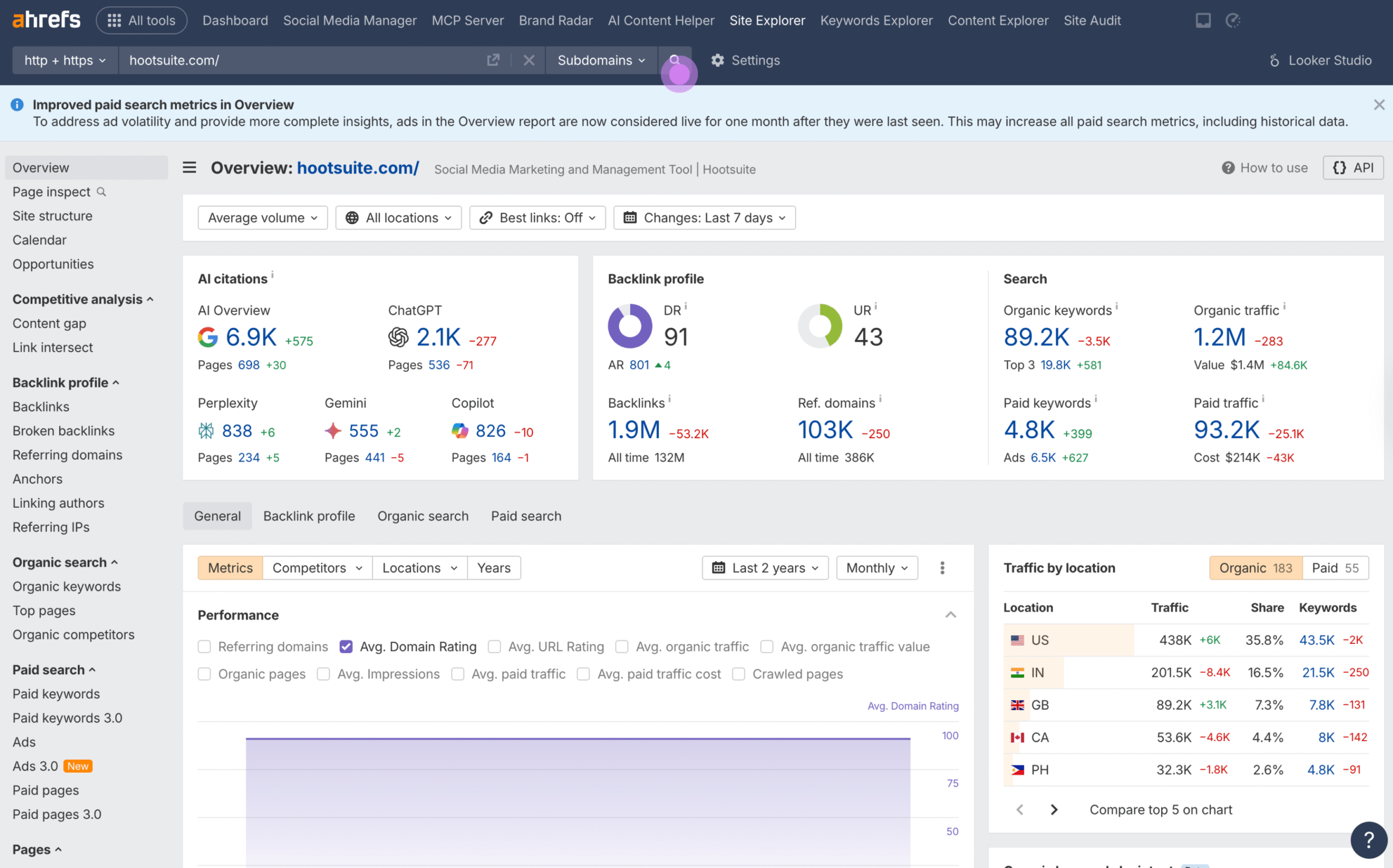
2. Then, press the search icon to proceed.

Inbound and Outbound
  • Click on the search icon. This action will direct you to a comprehensive dashboard displaying various metrics related to your domain.

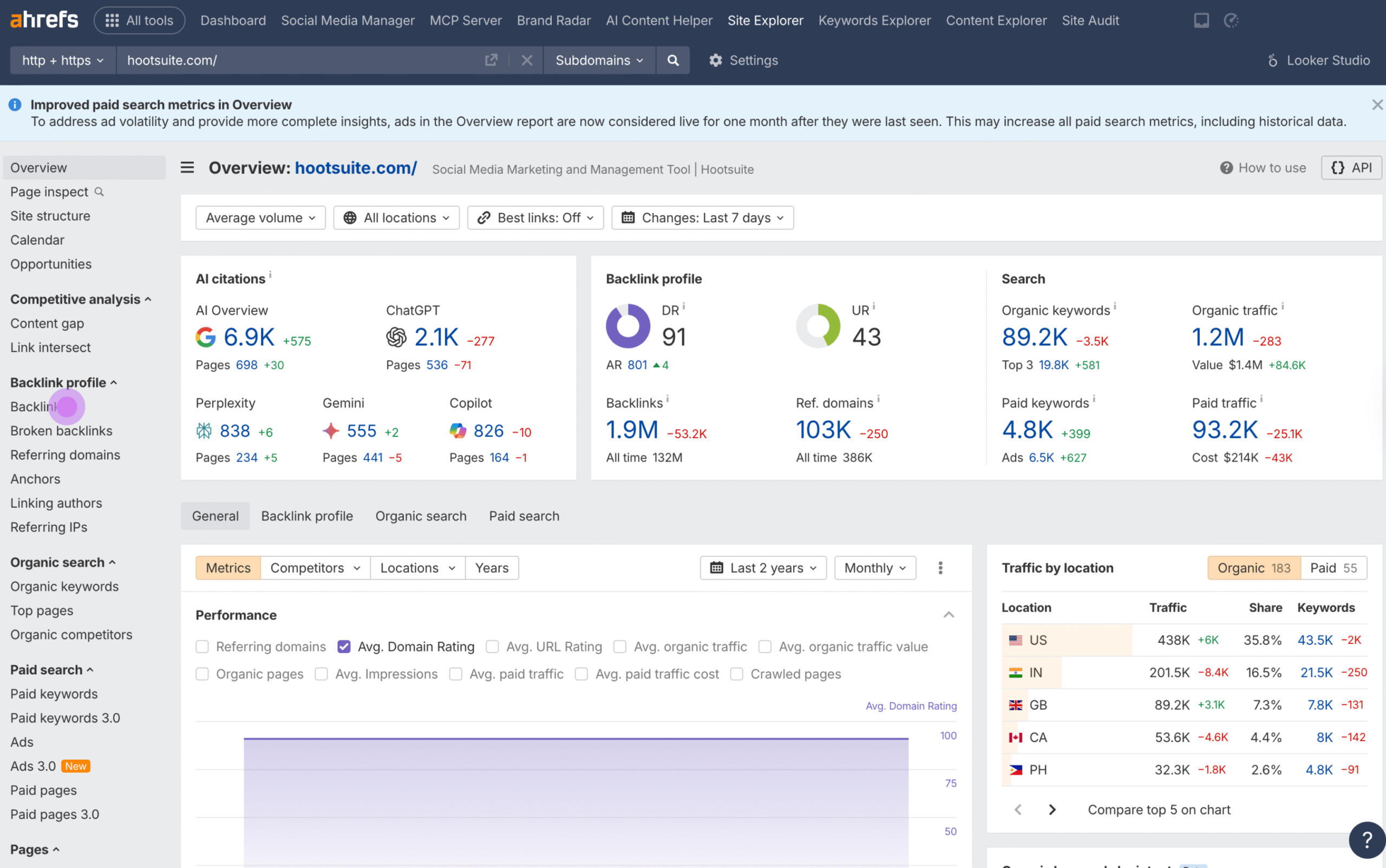
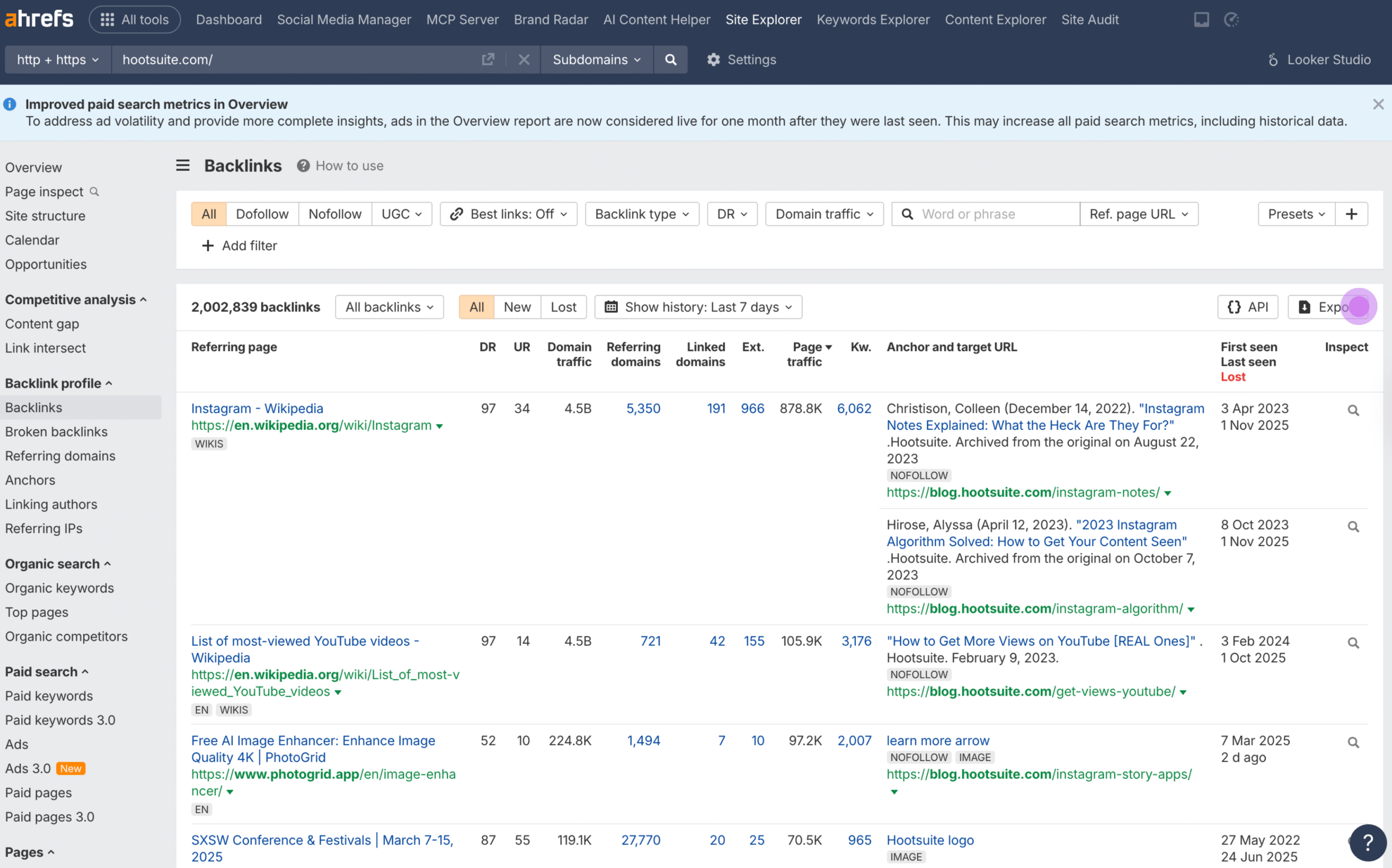
3. Next, select ‘Backlinks’ to view inbound links

Inbound and Outbound

  • To see inbound links, navigate to the “Backlinks” section under the “Backlink Profile” tab.
  • This report will show you all the pages from external websites linking to your website, offering insights into your backlink profile.

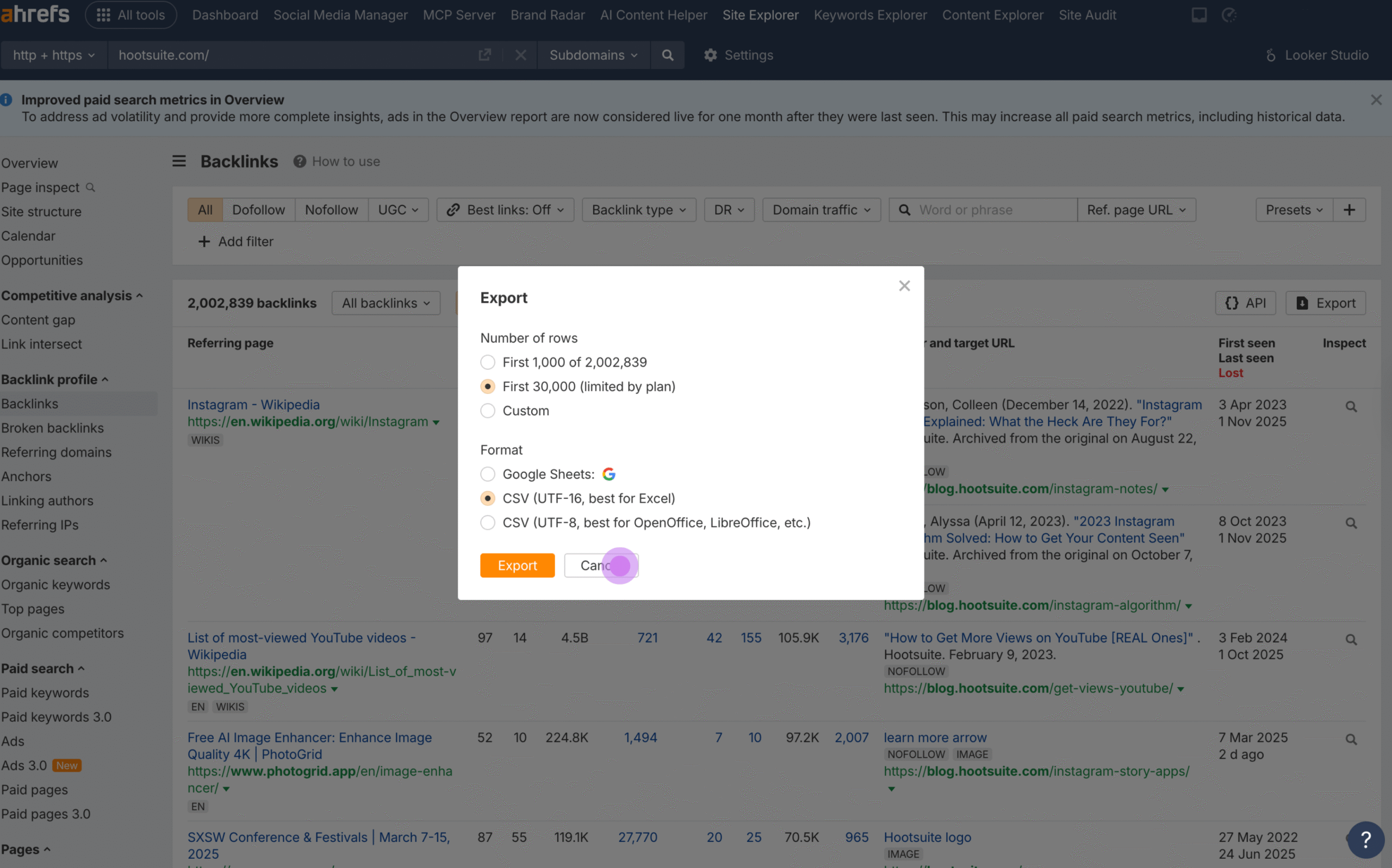
4. Afterwards, choose ‘Export’ to download the data.

Inbound and Outbound

  • Click on the “Export” button to download the backlink data for further analysis.
  • You can choose the format that best suits your needs, such as CSV or Excel.

5. Following that, click ‘Cancel’ if you wish to stop the export.

Inbound and Outbound

  • If you decide not to download the data, simply click “Cancel” to stop the export process.

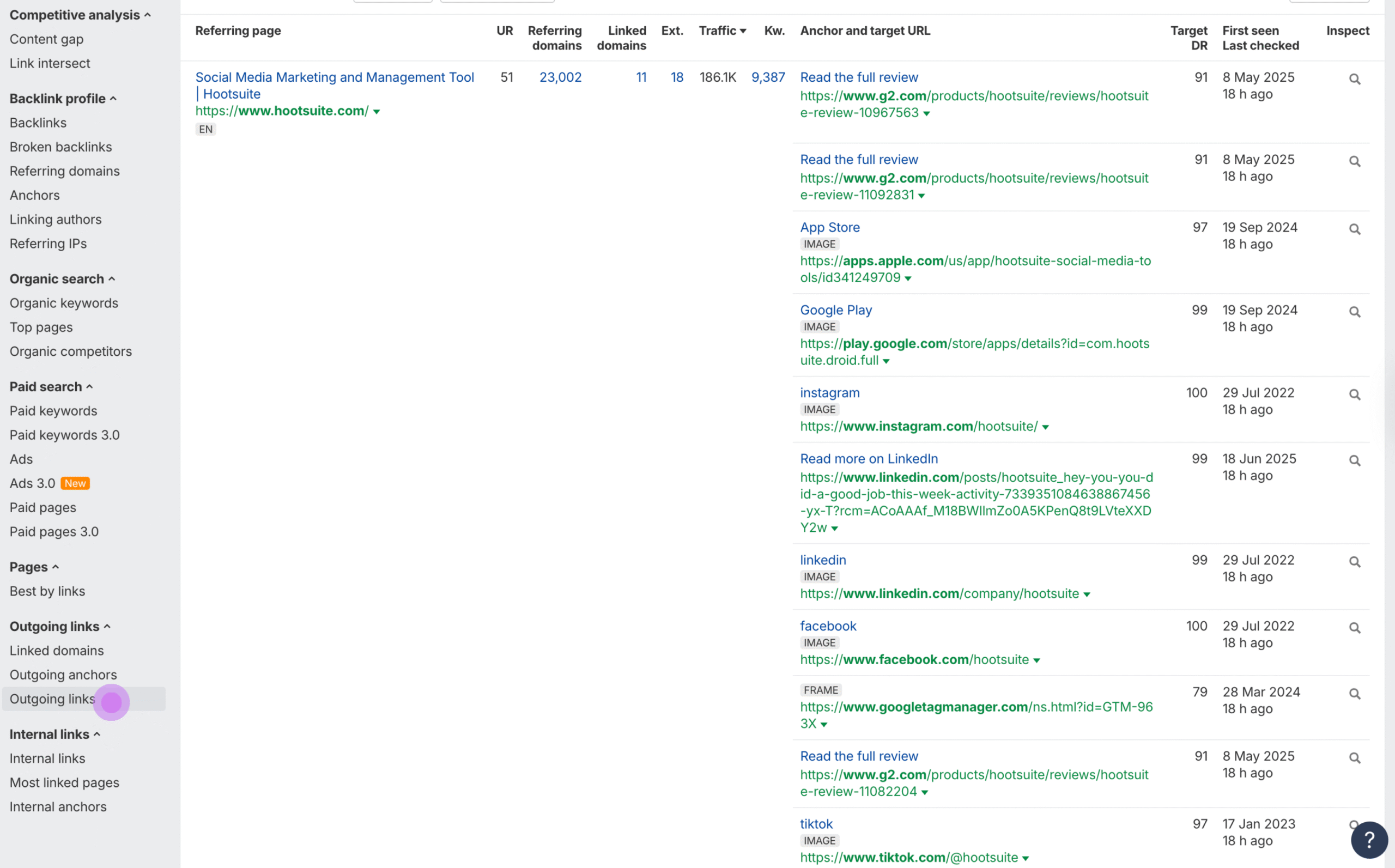
6. Finally, explore ‘Outgoing links’ to see external connections.

Inbound and Outbound

  • To view outbound links, head to the “Outgoing Links” section.
  • This report will provide details on all the links from your site pointing to other websites, helping you ensure they align with your SEO strategy.

Conclusion

By following these steps, you can effectively use Ahrefs to analyze both inbound and outbound links for your website. This analysis will help you understand your website’s link profile, identify opportunities for improvement, and maintain a healthy backlink strategy. Monitoring and optimizing your link profile is essential for enhancing your SEO performance and driving more organic traffic to your site.

Frequently Asked Questions (FAQs) 

Start by entering your target keyword in the Ahrefs Keyword Explorer. The tool provides a list of related keywords along with their search volume and difficulty level. Next, check the “SERP Overview” for each keyword to see the ranking sites and their respective positions.

Yes, you can track keyword rankings using the Ahrefs Rank Tracker. Add your keywords to the tracker, and it will monitor their positions over time. You’ll receive updates on ranking changes and performance insights, allowing you to adjust your strategy as needed.

Ahrefs provides various tools to boost keyword rankings. You can analyze your content against competitors and identify gaps in your strategy. By targeting keywords with high search volume and low keyword difficulty, you can improve your chances of ranking higher.

To use Ahrefs effectively, first set up the Rank Tracker for your website or competitors. Regularly check your rankings and examine changes. Also, monitor search volume and traffic potential to understand which keywords are delivering the best results.

You can enter a competitor’s domain into Ahrefs to view their organic keywords report. This report shows which keywords drive the most traffic to their site and their ranking positions. By analyzing these keywords, you can find opportunities to target similar or related keywords in your strategy.

Related Posts

Share This Post :